Internal linking tool

Strengthen your SEO with smart internal and external links
From contextual internal links to authoritative external links, Contentpen ensures that no linking opportunity is missed to boost SEO and organic visibility.


80K+ blogs generated
Enhance site structure with AI-powered linking assistant
Automate interlinking
Get new interlinking opportunities
Fix interlinking and anchor issues
See how the internal linking tool works
Watch how Contentpen’s AI agents analyze your content, identify contextual link opportunities, and place internal and external links that improve SEO, crawlability, and topical authority.
Connect your sitemap
Add your sitemap to Contentpen so it can map your existing content and identify the most relevant internal linking opportunities across your site.
Set your linking preferences
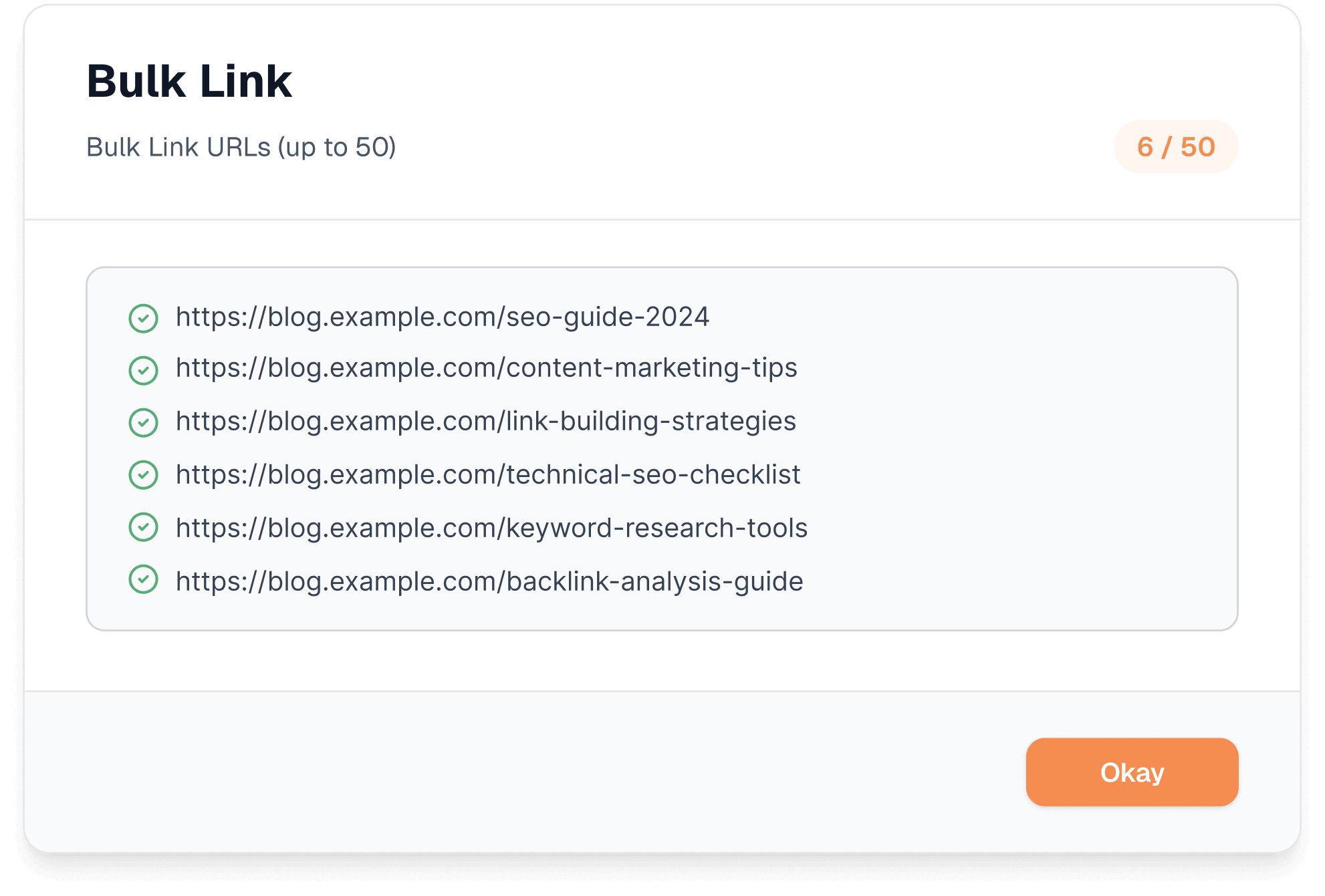
Choose which internal paths to include or exclude and define which external domains are allowed or off-limits. Save these as a preset so every future article follows the same rules automatically.
Publish with links already in place
The AI blog writer places contextual internal and external links as your content is generated. Every link is editable before you publish, so you stay in full control.
Your site grows connected, not just bigger
Contentpen automatically provides the most contextual internal links from your sitemap and credible external links to ensure no linking opportunity is ever missed.
Context-aware link placement
The AI interlinking tool understands intent, semantics, and structure to place links naturally where they add value. The links are never forced or random.
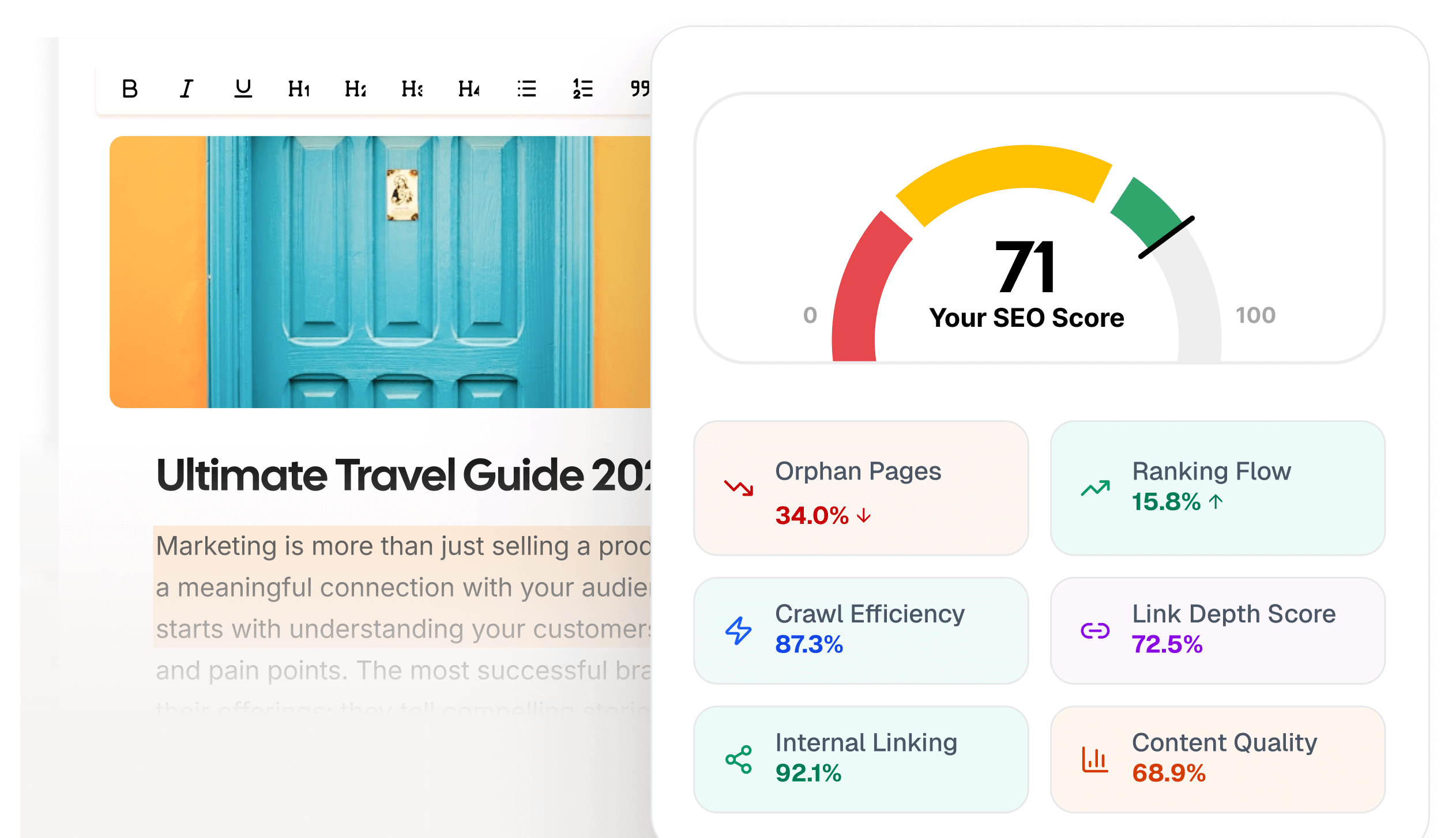
Anchor text optimization
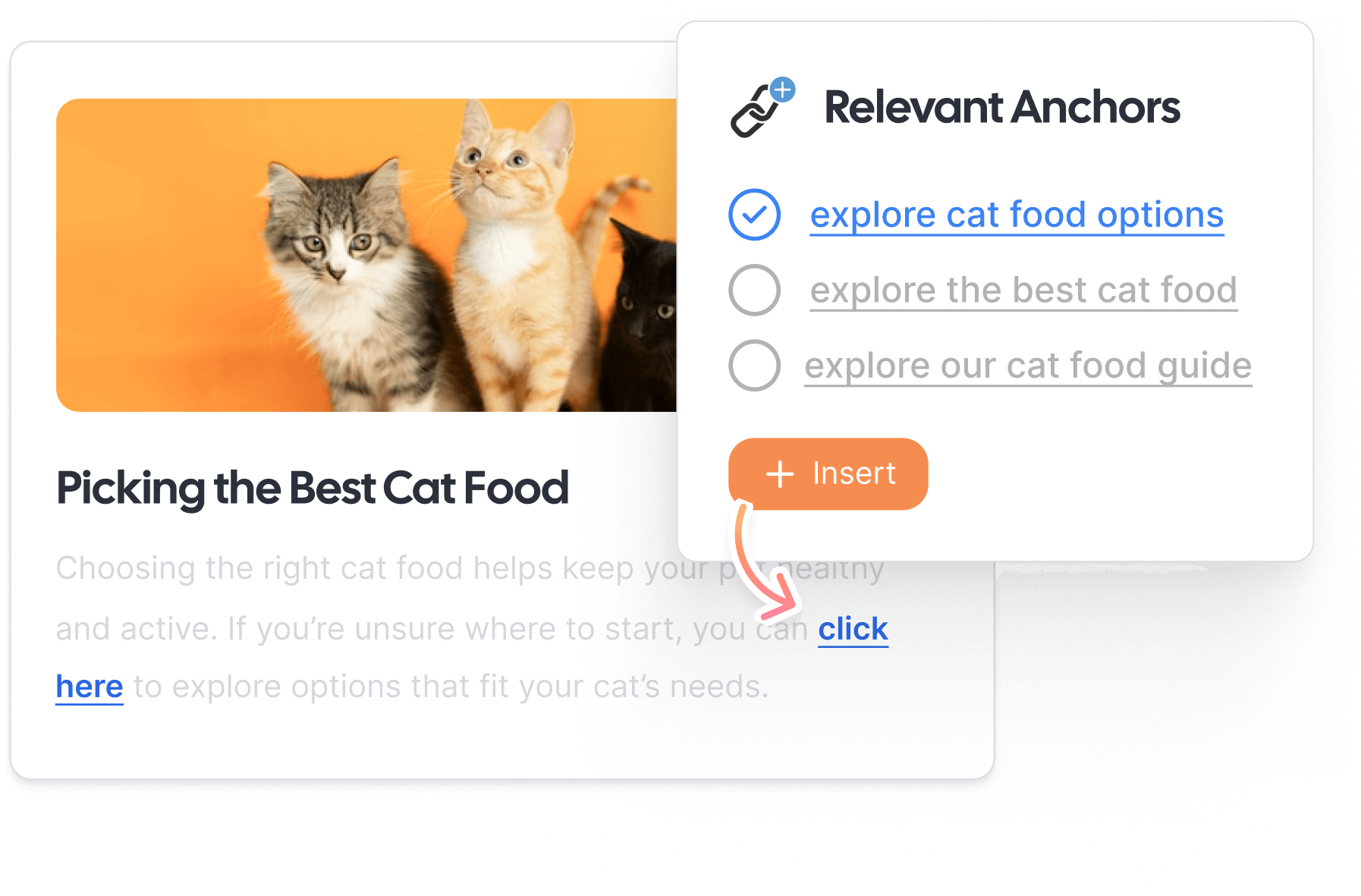
Our internal link mapping tool always picks the most descriptive, SEO-friendly, and contextual anchor texts for your links to improve content relevance while avoiding over-optimization.
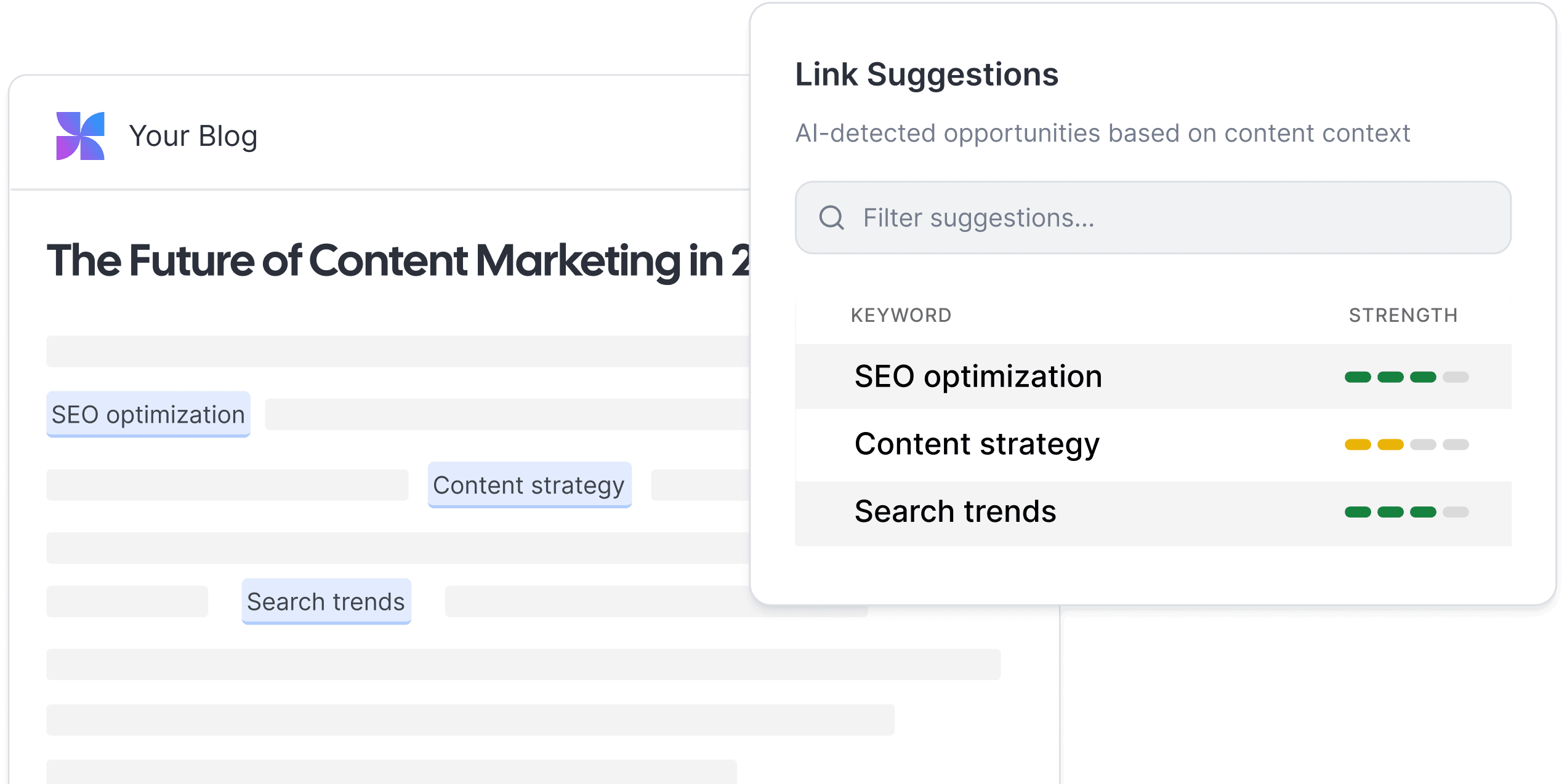
Intelligent link mapping
Every blog maintains a healthy balance of internal and external links, supporting SEO best practices while guiding readers deeper into your site.
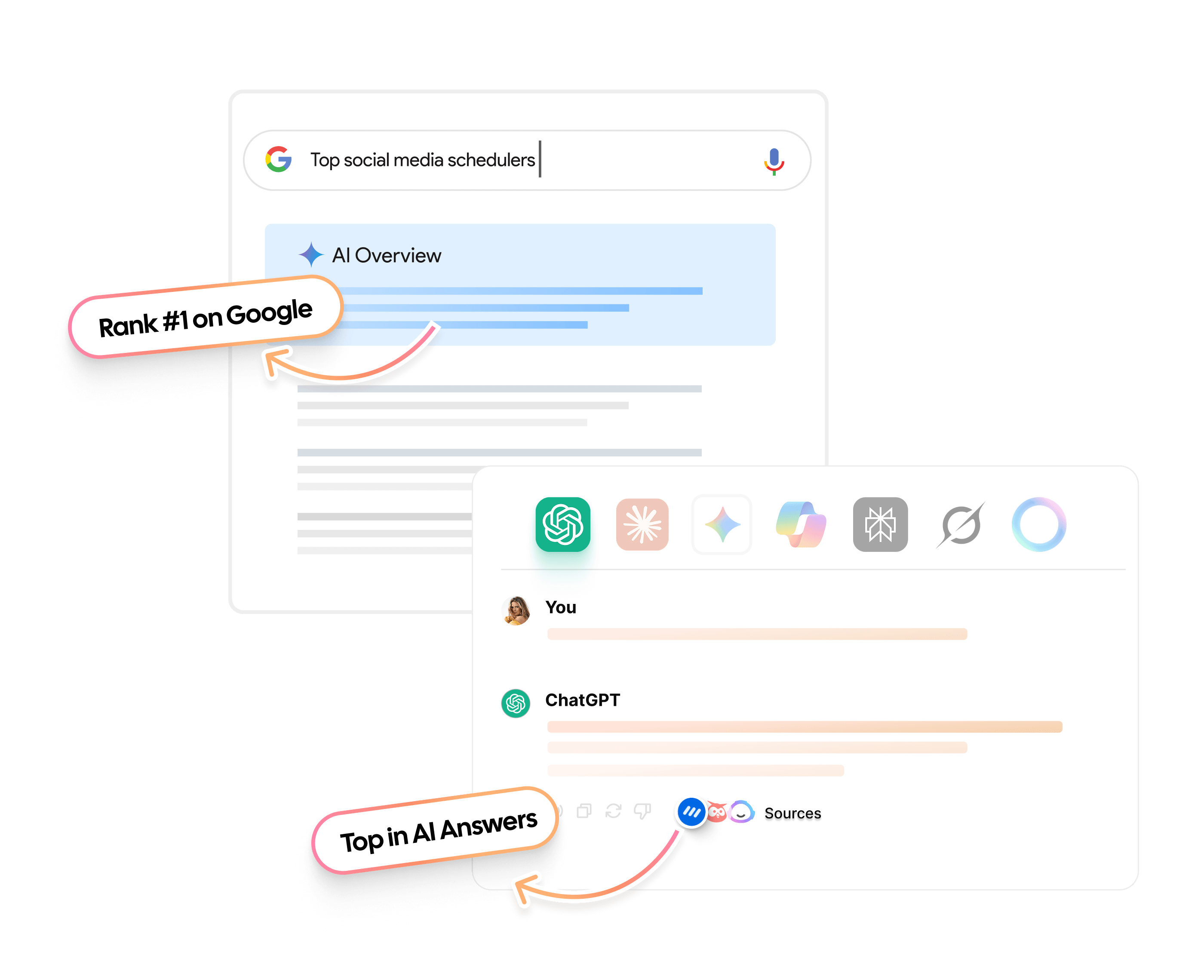
Links that help you rank
Your site’s interlinking gaps are automatically identified by our AI linking assistant, which fills them to improve discoverability of content, to enable better performance in search and AI engines.
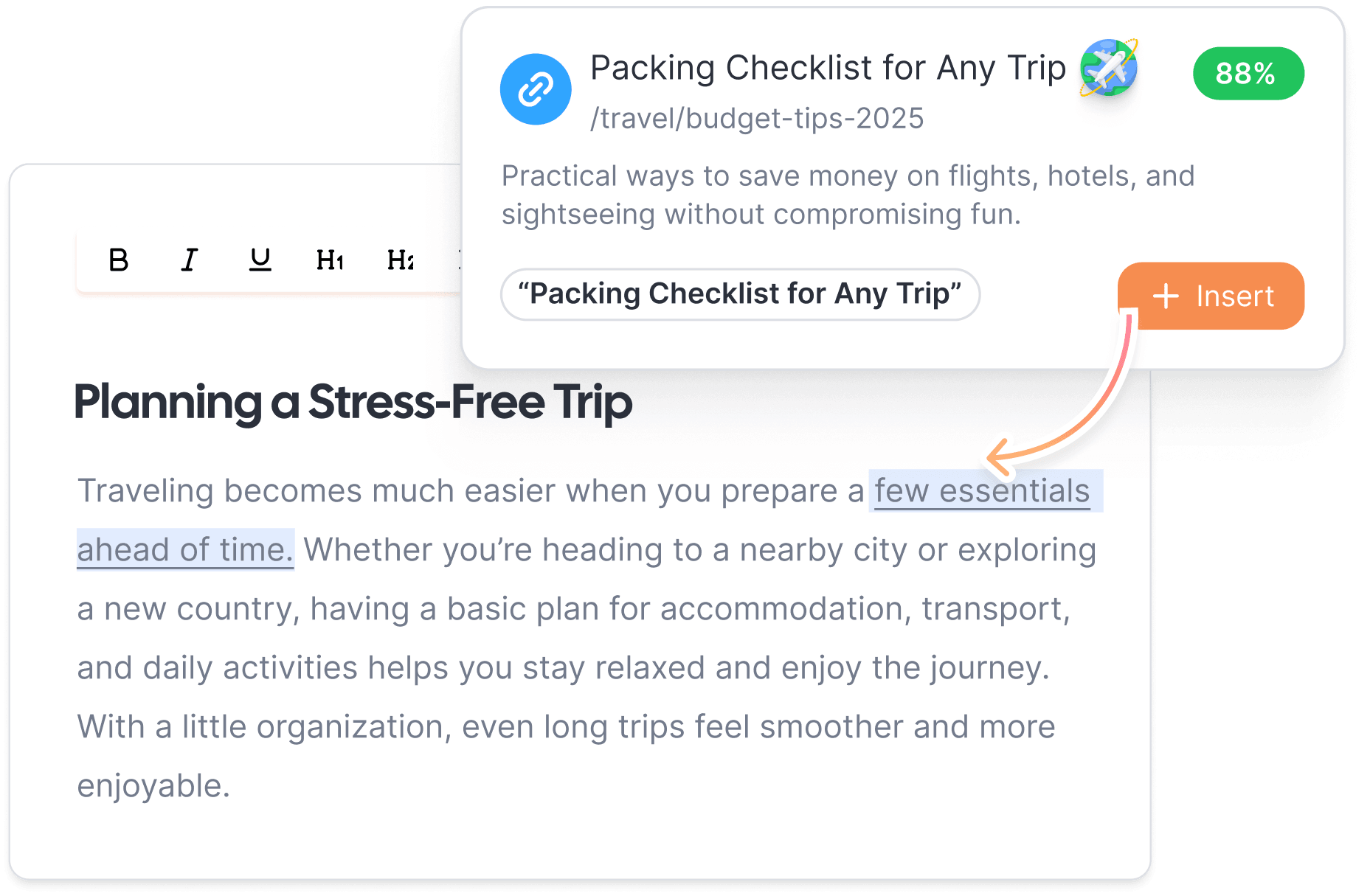
Real-time link suggestions
Most tools make you go looking for link opportunities. Contentpen surfaces them as you write, inline and in context, so you can accept, edit, or skip each suggestion without breaking your flow.
One linking tool. Every SEO benefit covered.
Contentpen's internal linking tool fits every stage of your site's growth, saving hours of manual effort on link placement and anchor text selection.
Keep your topic clusters tightly connected
Contentpen links supporting articles back to your pillar pages automatically, reinforcing topical authority and helping search engines understand the depth of your coverage.
Recover SEO value from older content
Existing blogs that were published without internal links get connected to your newer content without you having to go back and edit them manually one by one.
Strengthen crawlability as your site scales
A well-linked site is easier for search engines to crawl and index. Every new blog you publish through Contentpen adds to a connected structure rather than sitting as an isolated page.
Support your AI search visibility
Internal linking signals topical depth, which is one of the key factors that makes content more likely to be cited or referenced in AI-generated answers.
Go from creation to publishing without switching tabs
Links are placed while your content is being generated. There is no separate linking step and no separate tab to open.
Real SEO improvements through automated linking
Professionals share how automated linking with Contentpen reduced manual SEO work and accelerated organic growth.
“The automated external links are surprisingly accurate. We still control the sources, but we no longer have to hunt for references manually.”
 Maria ChenContent Strategist
“We never had time to go back and fix internal links on old blogs. Once we connected our sitemap, Contentpen started cleaning things up on its own. It felt like one less SEO chore we had to worry about.”
 Arjun MehtaSEO Manager
“I didn’t expect linking to impact crawlability this much. Search Console started showing better coverage, and newer posts were getting picked up faster than before.”
 Nadia KhanTechnical SEO Specialist
 AlaminMarketing content creator
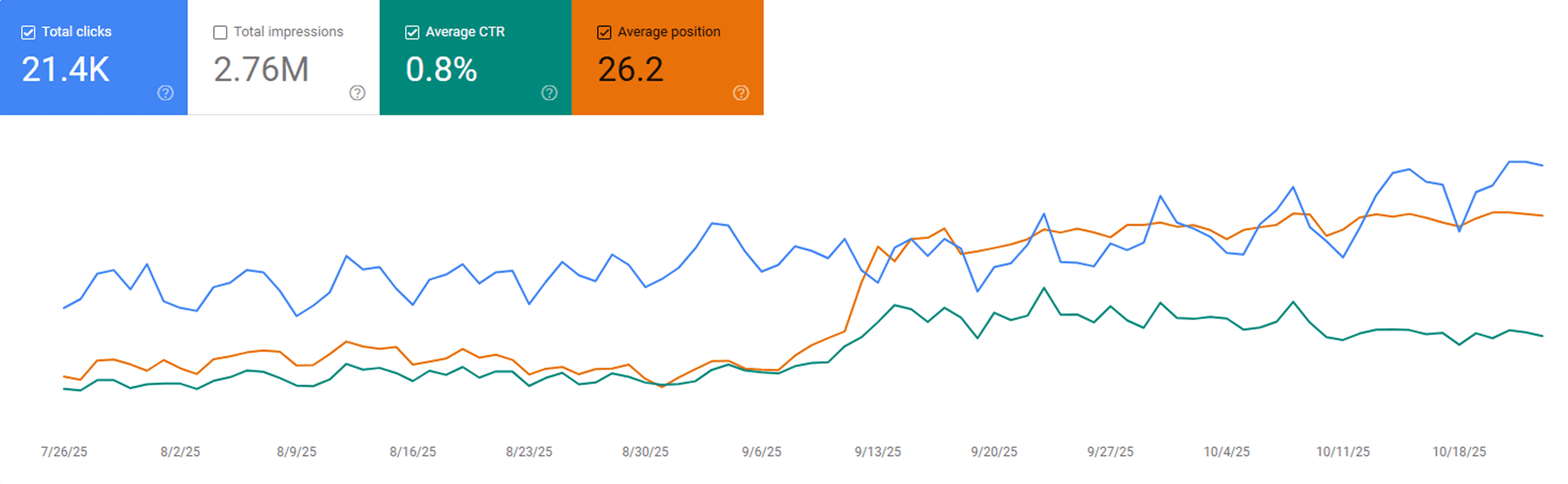
“After publishing our first 23 blogs through Contentpen, we noticed steady keyword growth in Google Search Console within three weeks. Impressions and clicks doubled, and a few articles started ranking on page one without paid promotion.”
 Sarah MalikSEO manager at GrowthHive
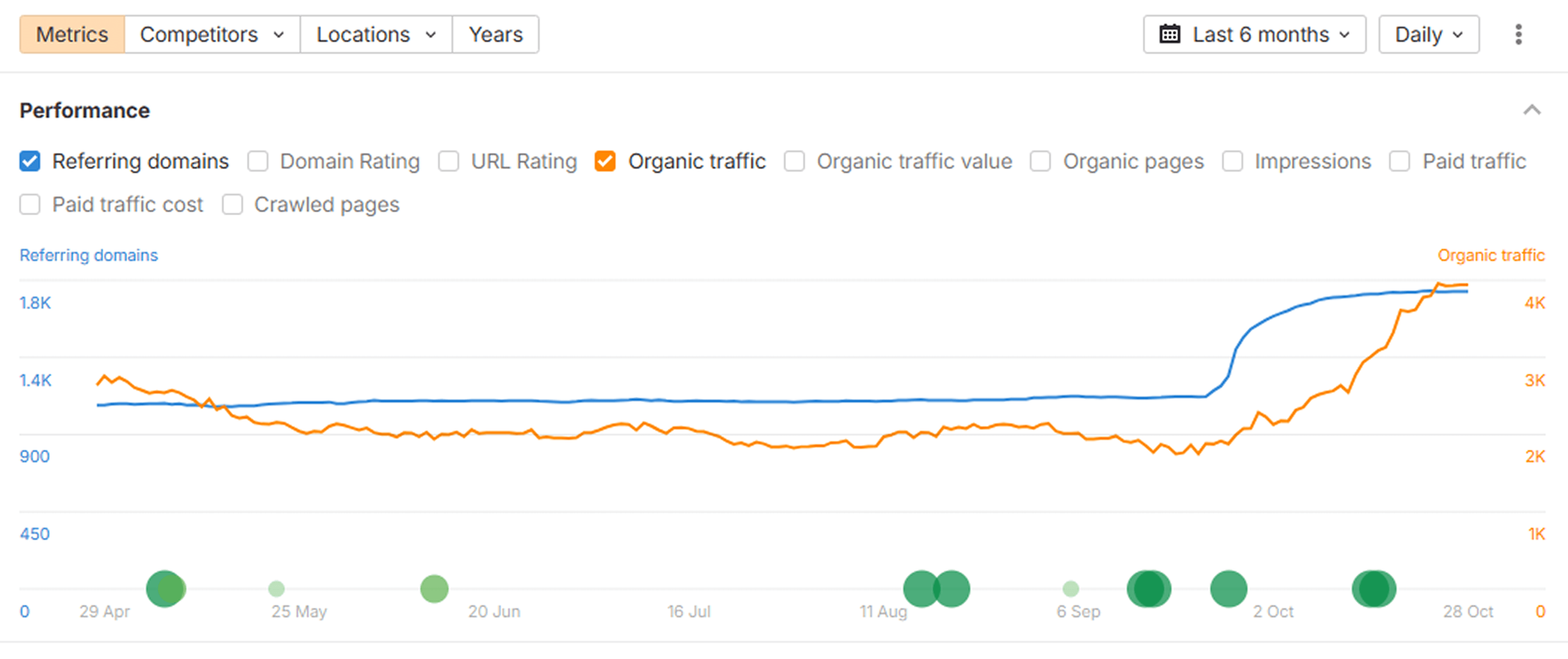
“We analyzed our new posts in Ahrefs and saw a clear lift in organic keywords and referring domains. The internal link suggestions from Contentpen helped us strengthen our site structure, which improved our overall domain visibility.”
 Daniel LeeContent strategist at BrightScale Media
“Before Contentpen, writing and publishing a blog took us a full day. Now we handle topic research, writing, and publishing in under an hour. Our organic traffic has grown 40% since streamlining our content process.”
 Ayesha KhanMarketing lead at CloudNest Solutions
“Tried Contentpen’s SERP and gap analysis before our next content sprint and found topics we’d completely missed. Rankings started moving within weeks.”
 Priya MalhotraSEO manager, CloudStack
“Contentpen spotted 7 keyword gaps our client’s top competitor was owning. Instant clarity on what to create next.”
 @JeremyHillsFounder, Rankline Agency
“Didn’t expect much from another AI writer, but Contentpen actually gets SEO. My latest blog ranked on page 1 in 10 days 🤯”
 @NoahWritesThings
Measurable impact on SEO performance
See how streamlined internal and external linking with Contentpen translates into consistent improvements across key SEO metrics as your content scales.
Higher organic traffic
Better keyword rankings
More keyword coverage
More leads from blogs
Boost organic visibility with smarter linking
Contentpen helps you create a connected, trustworthy website that search engines understand and users engage with.
Frequently asked questions
Learn how Contentpen improves SEO, linking, and content performance across all your blogs.
Contentpen automatically places the most suitable internal links based on relevance, intent, and site structure after you connect your sitemap.
Contentpen analyzes your content semantically to add internal and external links only where they matter, avoiding over-linking in your text.
Yes, you can include or exclude specific domains from your blogs depending on your linking strategy.
Yes. Every link and anchor text is fully editable inside the content editor before you publish. You can change the anchor text, swap the destination URL, or remove the link entirely to match your existing SEO strategy.
Yes, Contentpen streamlines and automates internal and external linking, which improves crawlability, indexing, user engagement, and overall site health.
Learn more about internal linking and the AI linking assistant
What is internal linking?
Internal linking is the practice of connecting one page on your website to another through hyperlinks embedded in your content. When a reader moves from a blog post to a related guide, they are following an internal link. Search engines follow these same paths to discover content.
To a search engine, internal links are signals. They tell crawlers which pages exist, how they relate to one another, and which ones carry the most authority on your site. A page with many relevant internal links pointing to it is treated as more important than an isolated page with none.
An internal link analysis tool can surface exactly which pages are well-connected and which ones are sitting without any links pointing to them.
For content teams, internal linking is also how you keep readers engaged. A well-placed link to a relevant article answers the next question before the reader even asks it. That behavior reduces bounce rates, which supports organic traffic.
What is the difference between internal and external links?
Internal links point to a page on your platform, while external links point to pages other than your site (off-page).
The way both of these types of links are used is also different. Internal links can be pointers to other guides, feature pages, or tool documentation on your site that you think are necessary for the user to go through.
Meanwhile, external links can be industry benchmarks, a useful stat, or any other resource that you think is necessary to support your claims.
Interlinking examples
Some of the types of internal links are:
- Contextual links: These are internal links placed naturally within the main body of text in your blog posts to connect related ideas. These types of links are the most rewarding ones in SEO.
- Navigational links: These links appear at the top in your navigation menu (e.g., Home, About Us, Careers, etc.)
- Footer links: Placed at the very end of your webpage that point users to important pages, such as privacy policy, contact, or terms and conditions.
- Sidebar links: You can find links to related posts in these sidebar widgets to help users explore more content on your website with ease.
Why internal linking is harder than it looks
The mechanics of adding a link are simple. The strategy behind it is not.
To link well manually, you need to know which pages exist on your site. You also need to know which ones are topically related to the content you are currently working on, and which anchor text is descriptive enough without being over-optimized.
You also need to avoid creating loops, duplicate link paths, or irrelevant connections that dilute your site structure.
For a site with several pages, manual linking quickly becomes tedious. That is where an internal linking tool online like Contentpen fills the gap, automating what would otherwise take hours of cross-referencing pages, anchor texts, and site structure.
How Contentpen's internal linking tool works
Contentpen takes a different approach. Rather than matching keywords on the surface, it reads your content for meaning.
When you connect your sitemap, Contentpen indexes your existing pages and understands how they relate to each other topically. Think of it as an internal link mapping tool that understands your site's full architecture, not just individual page titles.
For new blogs, Contentpen places internal and external links automatically during generation. You can review and adjust them in the content editor before publishing. You can also save these linking settings as your content preset to create new blogs with replicable results.
For existing blogs, you can run the internal linking tool across your published content and let Contentpen identify gaps and place links where none currently exist.
The AI linking assistant also avoids repeating the same anchor text across too many links to avoid any over-optimization penalties.
Why context matters more than keyword matching
Most SEO internal linking tools scan your content for keywords and suggest pages that contain matching terms. That approach works at the surface level, but it misses everything underneath.
Contentpen reads your content for meaning rather than matching words. When it evaluates where a link should go, it considers the subject matter being discussed, the reader's likely intent at that moment, and how the two pages relate to each other topically.
The result is link placements that feel natural because they are built on pure semantic and user understanding.
You also retain complete control at every step. You choose which domains to allow or exclude for external links, which internal paths to include or avoid, and you can edit any link or anchor text before publishing. The automation handles the volume. The editorial control stays with you.
Where internal linking fits in your content workflow
Internal linking is not a task you do once. It is something that needs to happen with every new piece of content and needs to be revisited as your site grows. A reliable internal linking suggestions tool removes the guesswork from this process entirely, flagging where new content needs to be linked in and where older posts need updating.
When you publish a new article, it needs internal links pointing to relevant older content. Older articles also need to be updated to link back to your new content. As your topic clusters develop, the pillar pages need strong internal link structures to establish their authority.
A well-maintained internal linking structure can help significantly if you are building topical clusters, optimizing for AI visibility, or trying to improve crawlability for a large site.
How Contentpen compares to other internal linking tools
Most AI internal linking tools suggest links. Contentpen builds a connected content strategy. Here is how it stacks up against the tools you’ve already seen.
|
Feature |
Contentpen |
AIOSEO |
Frase |
Surfer SEO |
|
AI internal linking tool |
✅ |
✅ |
❌ |
❌ |
|
External link placement |
✅ |
❌ |
✅ |
❌ |
|
Automated interlinking at scale |
✅ |
❌ |
❌ |
❌ |
|
Anchor text optimization |
✅ |
✅ |
❌ |
❌ |
|
Context-aware link placement |
✅ |
❌ |
✅ |
✅ |
|
Links placed during content generation |
✅ |
❌ |
✅ |
❌ |
|
Active linking for existing blogs |
✅ |
✅ |
✅ |
✅ |
|
Include or exclude specific domains |
✅ |
❌ |
❌ |
❌ |
|
Built into full content pipeline |
✅ |
❌ |
❌ |
❌ |
|
Full editorial control over all links |
✅ |
✅ |
✅ |
✅ |
Ready to build a better-linked site?
Your content does more when it is connected. Contentpen's internal linking tool reads your site, understands your content strategy, and places internal and external links that strengthen your site structure with every blog you publish.
Connect your sitemap, generate or import your content, and let Contentpen handle the linking while you focus on what you want to rank for.
Build the rest of your content workflow
You've seen this part of the process, here are other features that help you research, plan, write, and improve content on autopilot.
Blog creation
Generate high-quality, SEO-optimized blog articles in minutes using AI trained for ranking content.
Keyword Research
Get high-intent keywords, search trends, and ranking opportunities tailored to your niche.
Organic traffic optimizer
Continuously analyze and optimize content to improve rankings and grow organic search traffic.
SERP & gap analysis
Identify ranking gaps and competitor opportunities to create content that outranks the competition.
SEO scoring
Get audit scores and suggestions for keyword usage, readability, and ranking signals before publishing.
Content planning & scheduling
Build content calendars, automate workflows, and plan topics that drive organic growth.
Integration & publishing
Connect your CMS and publish content directly from Contentpen without switching tools.
Bulk content creation
Produce large volumes of consistent, SEO and GEO-optimized content at scale with batch generation.
Built-in media library
No more asset hunting, everything you need is built in.
SEO opportunities
Automatically uncover quick wins, content decay, and CTR gaps, and turn insights into actions with one-click content refreshes.
Website analytics
Track clicks, impressions, CTR, and rankings directly from Google Search Console to understand what's driving your organic performance.
AI search optimization tool
Make your content AI-ready, structured, and easy to surface